RAYVN mobile app
Emergency response from the frontlines
Available for iPhone and Android
Your people on the ground can respond straight away, right from their phones. Your crisis team sees every update as it happens.
Already a RAYVN user? Log in with your usual username and password. Installation guide
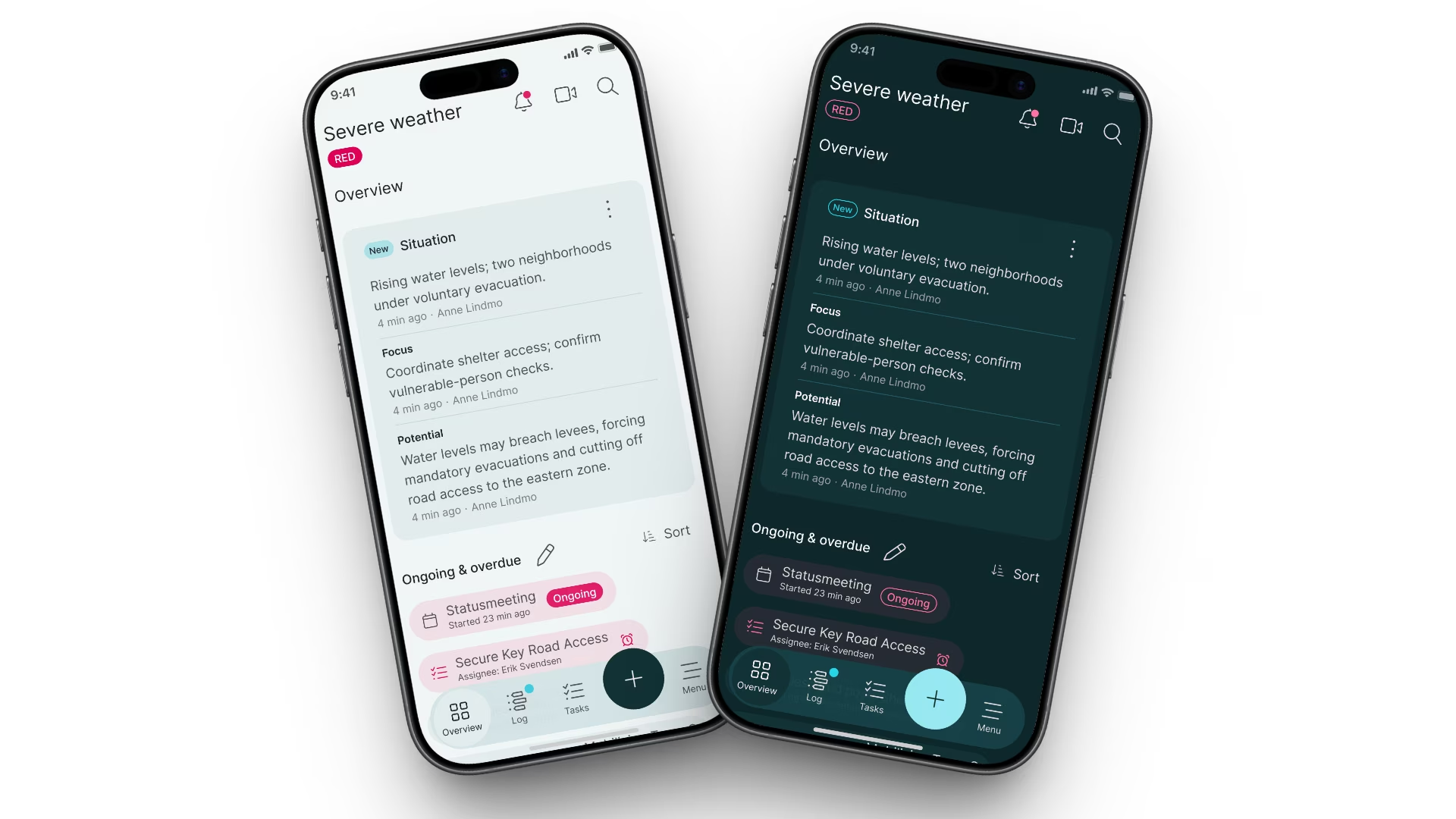
Built for the frontline
Work together, wherever you are
In the field, on the road or after hours, work seamlessly with the rest of your response team.
Alert
Start or join in seconds
Start an incident from your phone, or get alerted the moment someone else does. Push notification, voice call, SMS and email reach you within seconds.
Act
Respond from where you are
Everyone in every location works from the same situational awareness. Track people and resources easily to coordinate tasks and resolve the incident together.
Align
One shared picture
What you post from your phone, including photos and files, appears in real time for everyone in the incident, on mobile and web. No one has to repeat the same update.
Start
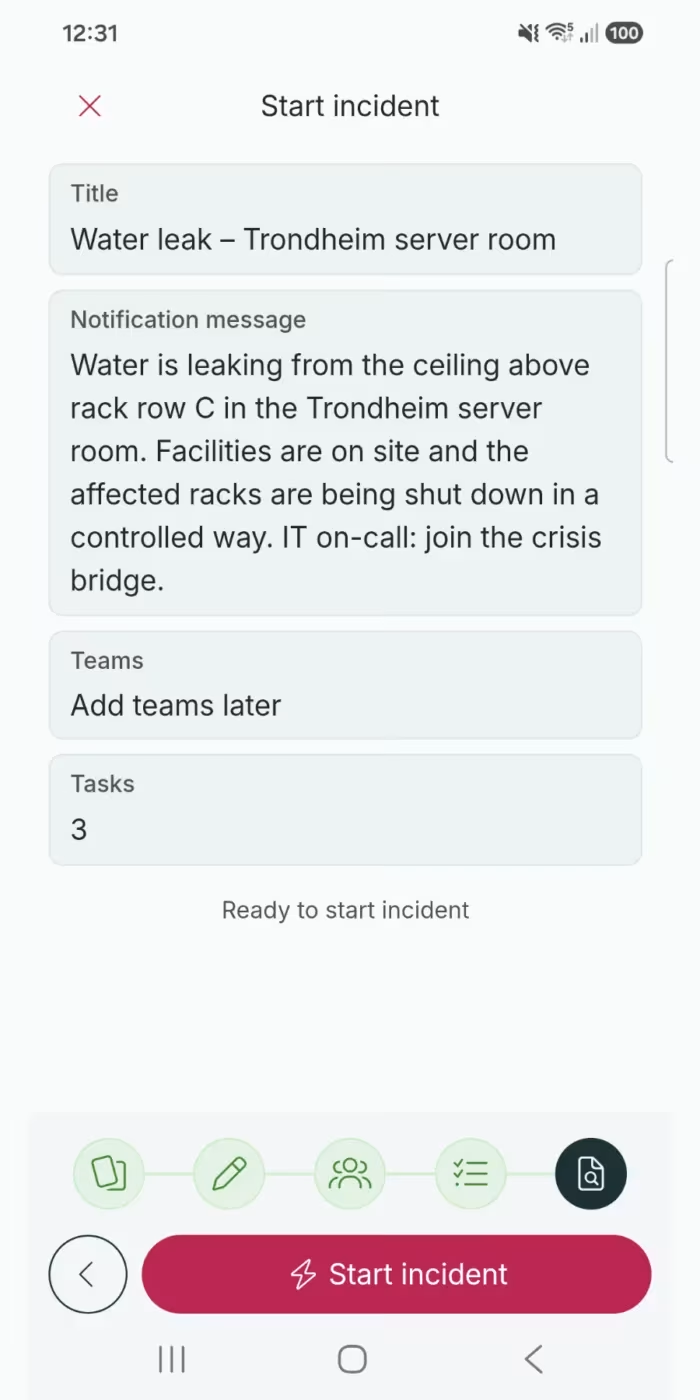
Initiate a response
Tap New and pick one of your organization’s templates, such as fire, injured personnel or cyber attack. Check the notification message, teams and tasks, then start the incident.
- Start from a template, or from scratch
- Add teams now, or later as the situation develops
- Running a drill? Tap New exercise, and it stays apart from real incidents

Alert
Never miss the alert
The push notification describes what has happened, so you know what you are walking into before you open the incident. RAYVN also calls, texts and emails, so people are reached on more than one channel.
- Push notification within seconds of an incident starting
- Entries tagged as Key event send a push to everyone invited
- Respond and join the incident straight from your phone
Track
Get the whole picture
Know where things stand before you act, and let the crisis team see where you are.
- See the situation, what is ongoing or overdue, and the open tasks on one screen
- Share your position so the crisis team can see where people are, and turn location sharing off at any time
- See which people and resources are available, and where they are on the map
Act
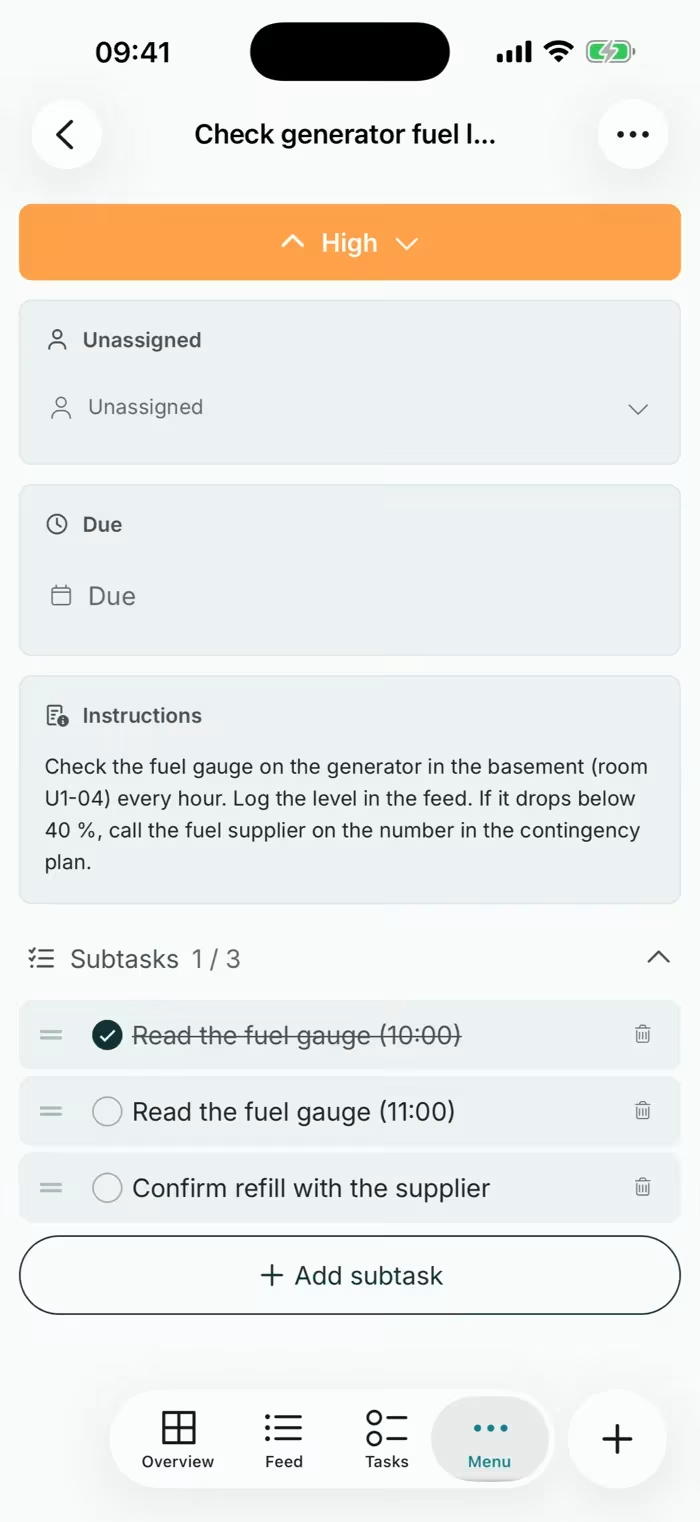
Keep the plan moving
Tasks from your plan arrive with instructions, priority and due time. Tick off subtasks as you go, and the crisis team sees progress in real time.
- See your own tasks and all open tasks
- Create tasks and assign them to people as the situation changes
- Complete a task with a comment or a file
Update
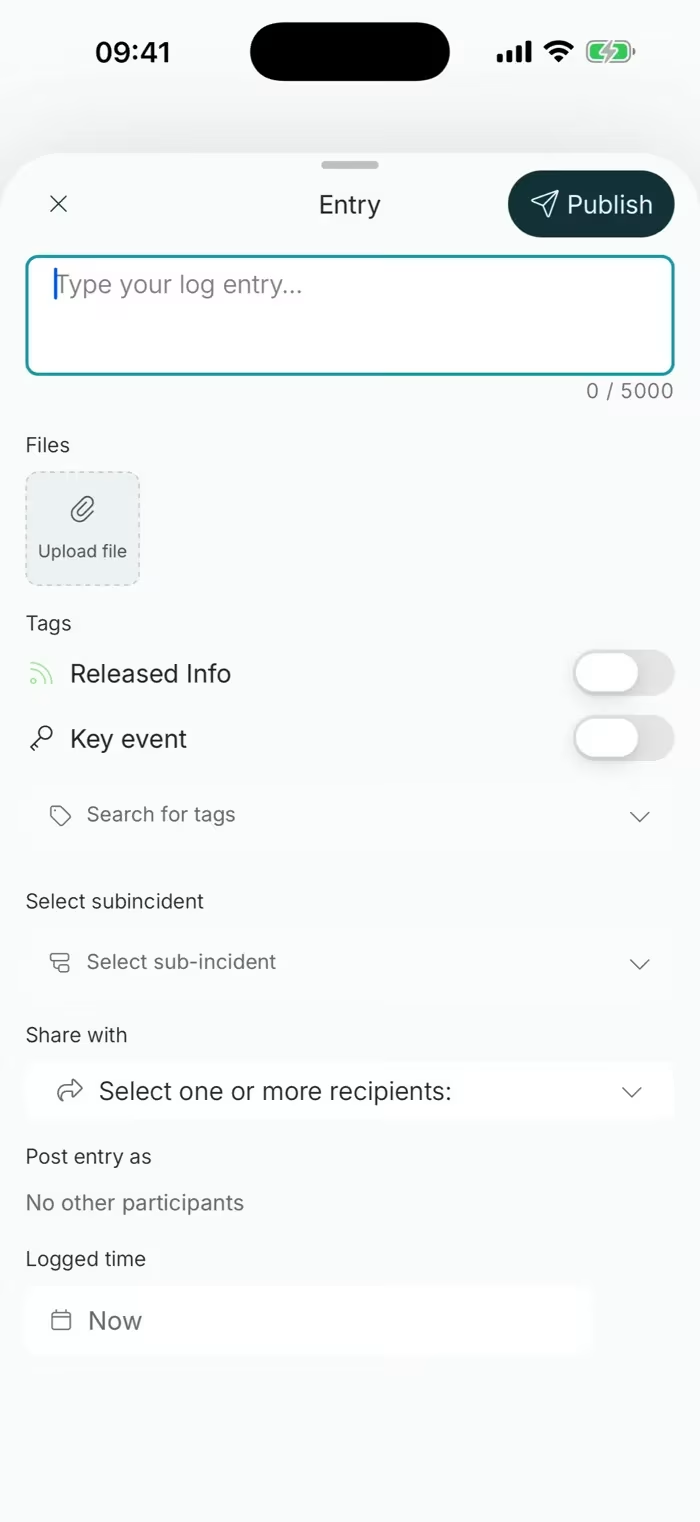
Report from the scene
Post updates, photos and files straight into the feed. The crisis team sees them as they happen, and every entry is time-stamped for the report afterwards.
- Take photos and upload any file type, including PDFs and documents
- Tag entries as Key event or Released information
- Link an entry to a sub-incident, or share it with selected people
Offline mode
Keep logging when the signal drops
Incidents often happen where coverage is poor. If you lose connection, the app keeps working as a logging tool and shows that you are offline. What you record is synced for everyone when you are back online.
Works offline
- Start an incident. Teams are notified as soon as you are back online
- Write and publish log entries, with photos
- Upload files already on your phone
- Write and edit reports
Needs a connection
- Creating, editing and completing tasks
- Viewing, contacting and notifying teams
- Video meetings
- Downloading files and opening links
You need to be logged in to the app before you lose connection. Read more about offline mode in our Help Center
Get started
Up and running in three steps
Log in
Use your RAYVN username, usually your email address, and your password. Your administrator sends these when your user is created. Need a new password?
Allow notifications and location
Allow push notifications so alerts reach you. For an accurate position on the map, allow precise location.
Requirements
iPhone with iOS 15.6 or newer, or Android 6.0 or newer. There is no separate iPad app: install the iPhone app, or open app.rayvn.global in Safari. Source: RAYVN Help Center, System requirements.
Common questions about the RAYVN mobile app
Is the RAYVN app free?
Yes. The app is free to download on iPhone and Android for everyone who uses RAYVN. You need a RAYVN user account to log in.
Do I need a separate account for the app?
No. You log in with the same username and password as in the web app, and you see the same incidents.
Can I use RAYVN on an iPad?
Yes. There is no dedicated iPad app, but you can install the iPhone app on your iPad, or open app.rayvn.global in Safari.
Where can I get help with the app?
Our support team is happy to help at help@rayvn.global. For a quick fix, close and reopen the app, check your connection, update to the latest version, then restart your phone. See the full checklist
Do I need to keep the app updated?
Yes. RAYVN Mobilize, our new alerting and team mobilization functionality, needs the latest version of the app. Read about RAYVN Mobilize
Is there training for the app?
Yes. E-learning and video tutorials for users and administrators are free for all customers. Go to the Learning Hub
Considering RAYVN?
See the mobile app in action
We’ll show you how RAYVN works on the phone and in the web app, using scenarios from your own organization.